Freelancer Invoice Tracker, Offline Payment Log & PDF Invoice HTML App
$7.99 $9.99
Stop chasing invoice details across spreadsheets, payment apps, and client emails.
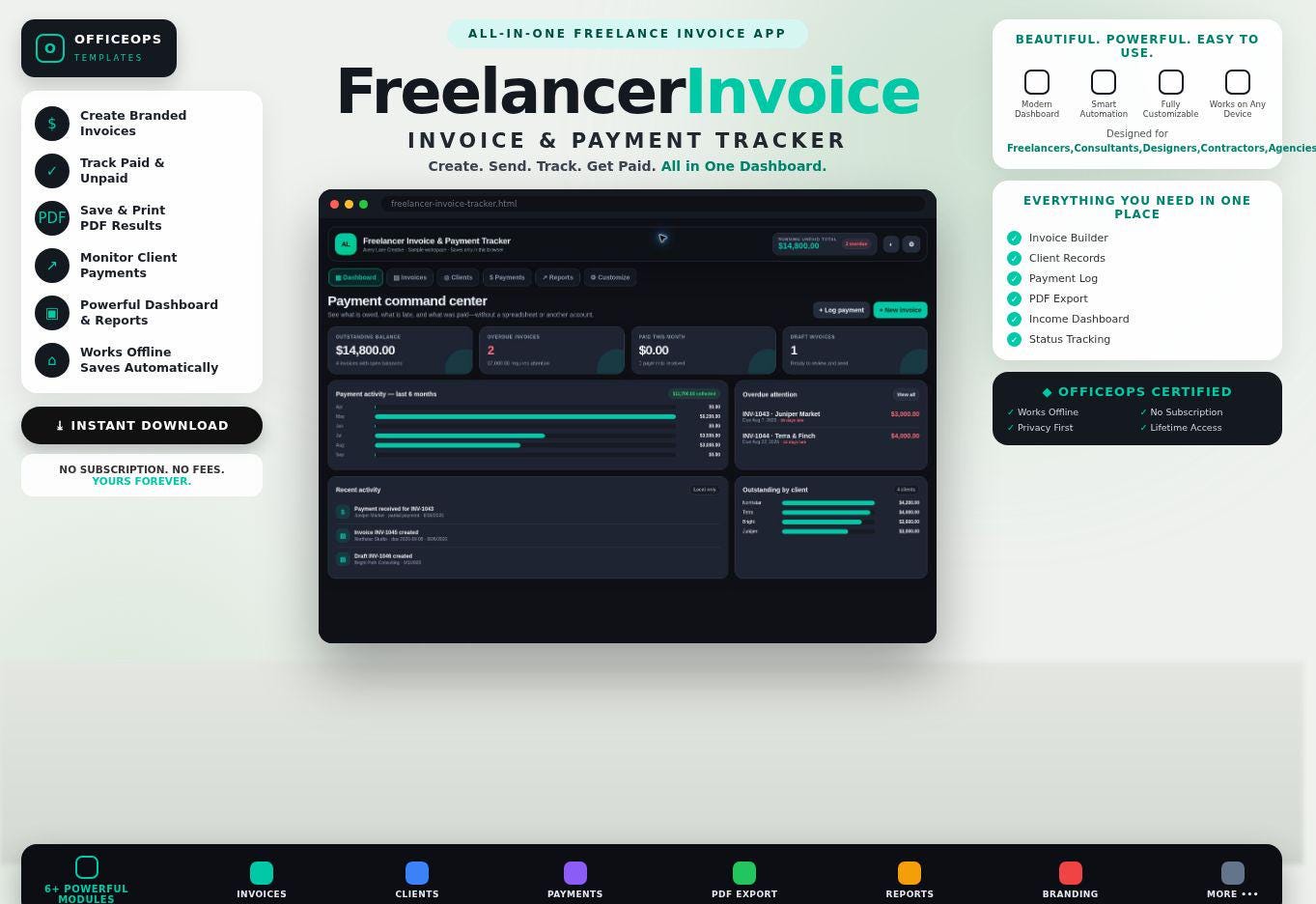
The Freelancer Invoice & Payment Tracker is a downloadable offline HTML app for creating professional invoices, monitoring open balances, logging payments, and spotting overdue invoices in one private browser-based workspace.
Unlike a Google Sheets or Excel invoice tracker, this app does not require a Google account, Microsoft Excel license, online database, login, or recurring subscription. Download the ZIP, open the HTML file in a modern browser, and begin.
WHAT YOU WILL RECEIVE
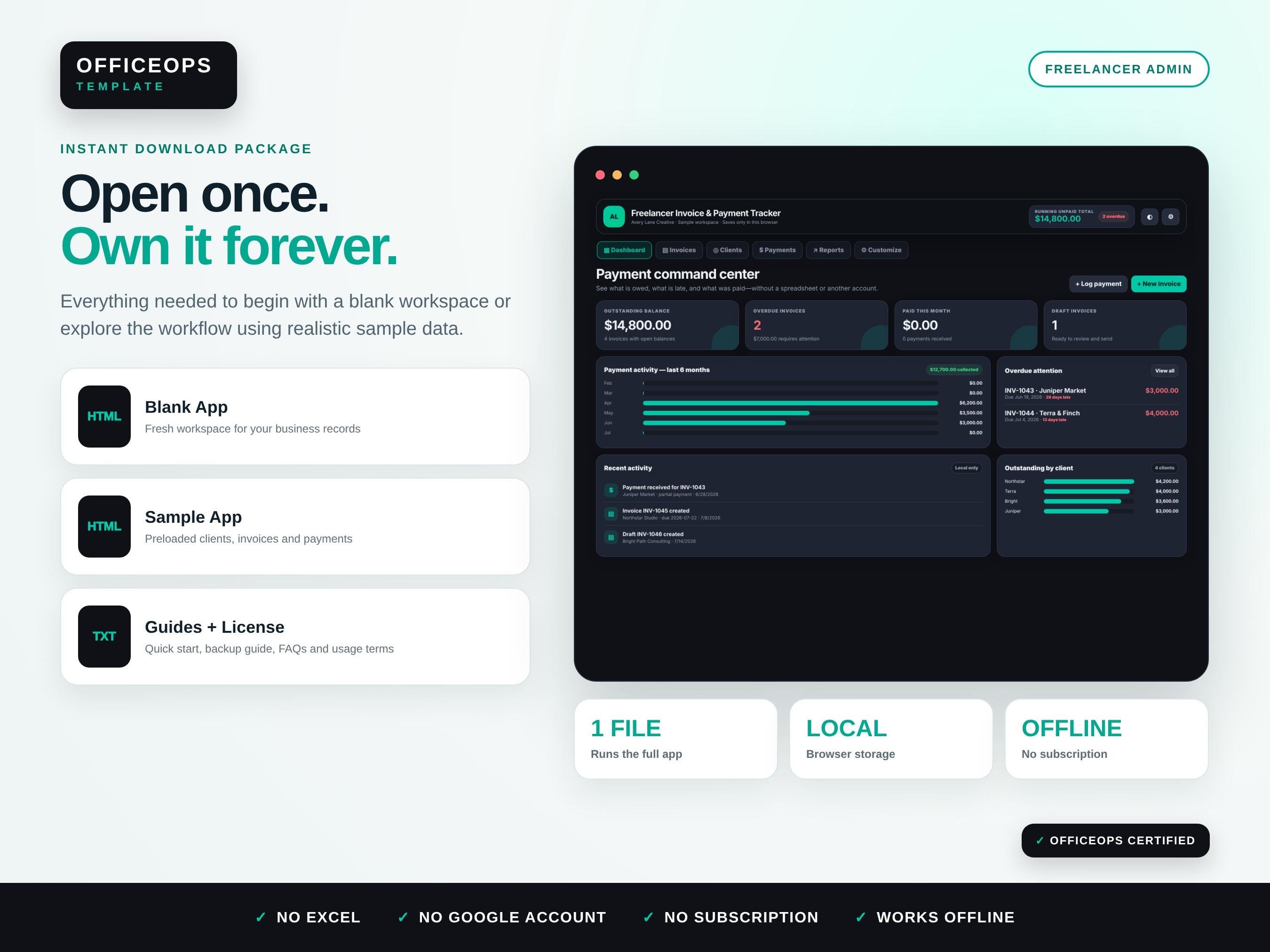
• Blank HTML app for your own clients, invoices, and payments
• Sample-data HTML app with realistic records for exploring the workflow
• Quick-start instructions and full user guide
• Local-data backup guide
• Frequently asked questions
• Digital product license
• One ZIP file ready for instant download
CORE FEATURES
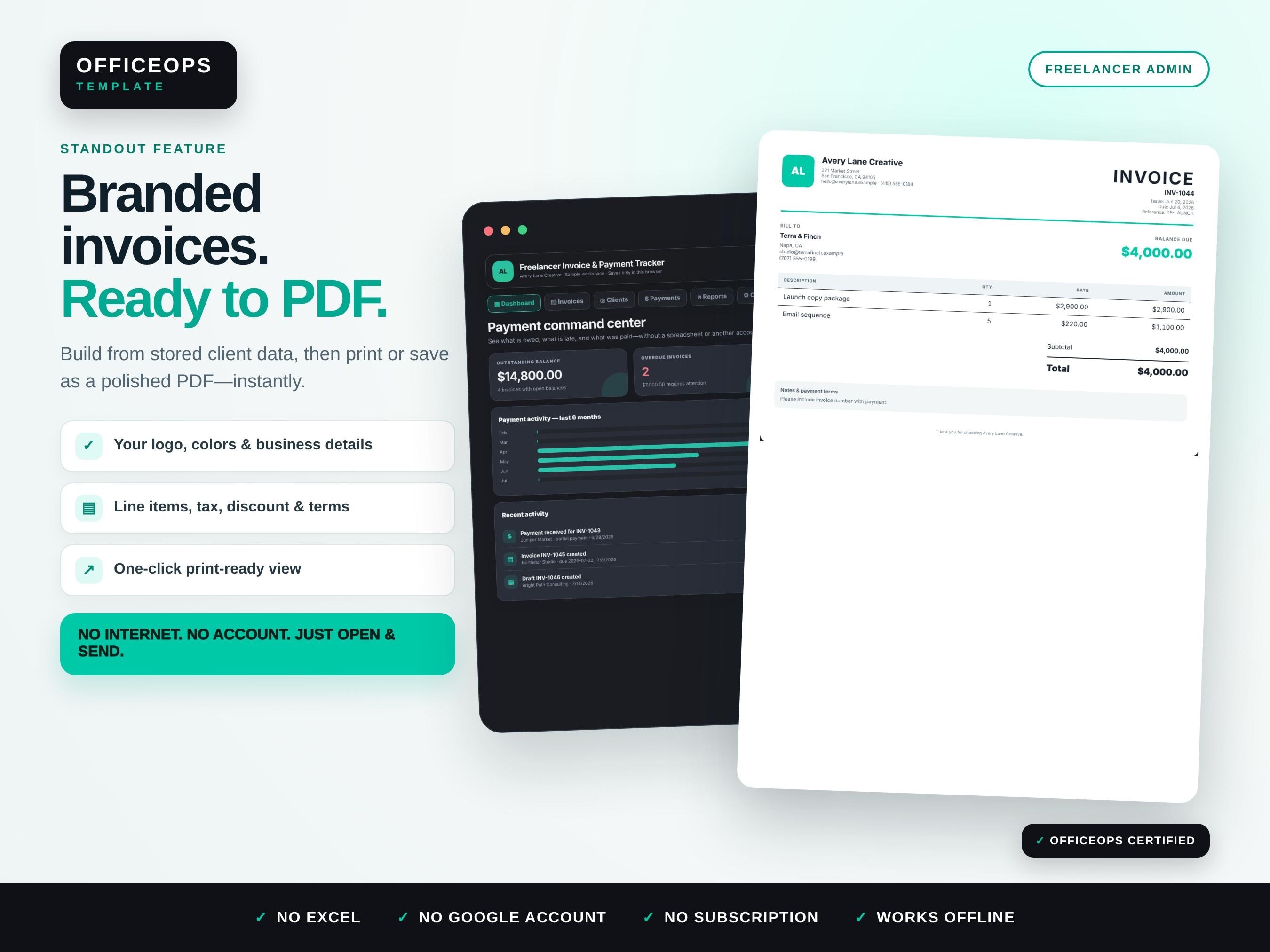
• Branded print-to-PDF invoice view generated from stored client and invoice data
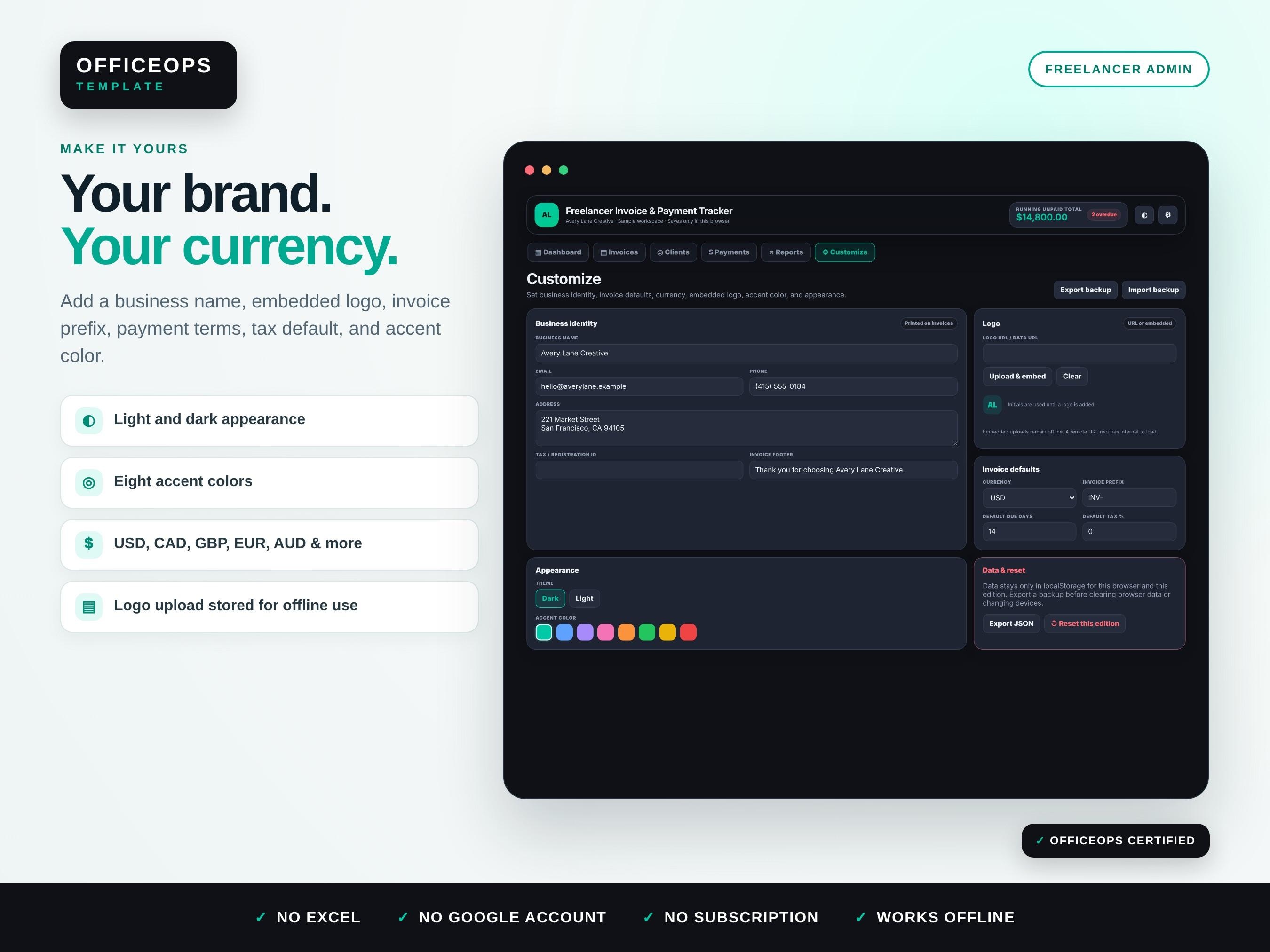
• Business name, contact details, address, logo, invoice footer, currency, prefix, and default terms
• Detailed invoice line items with quantity, rate, tax, discount, notes, and project reference
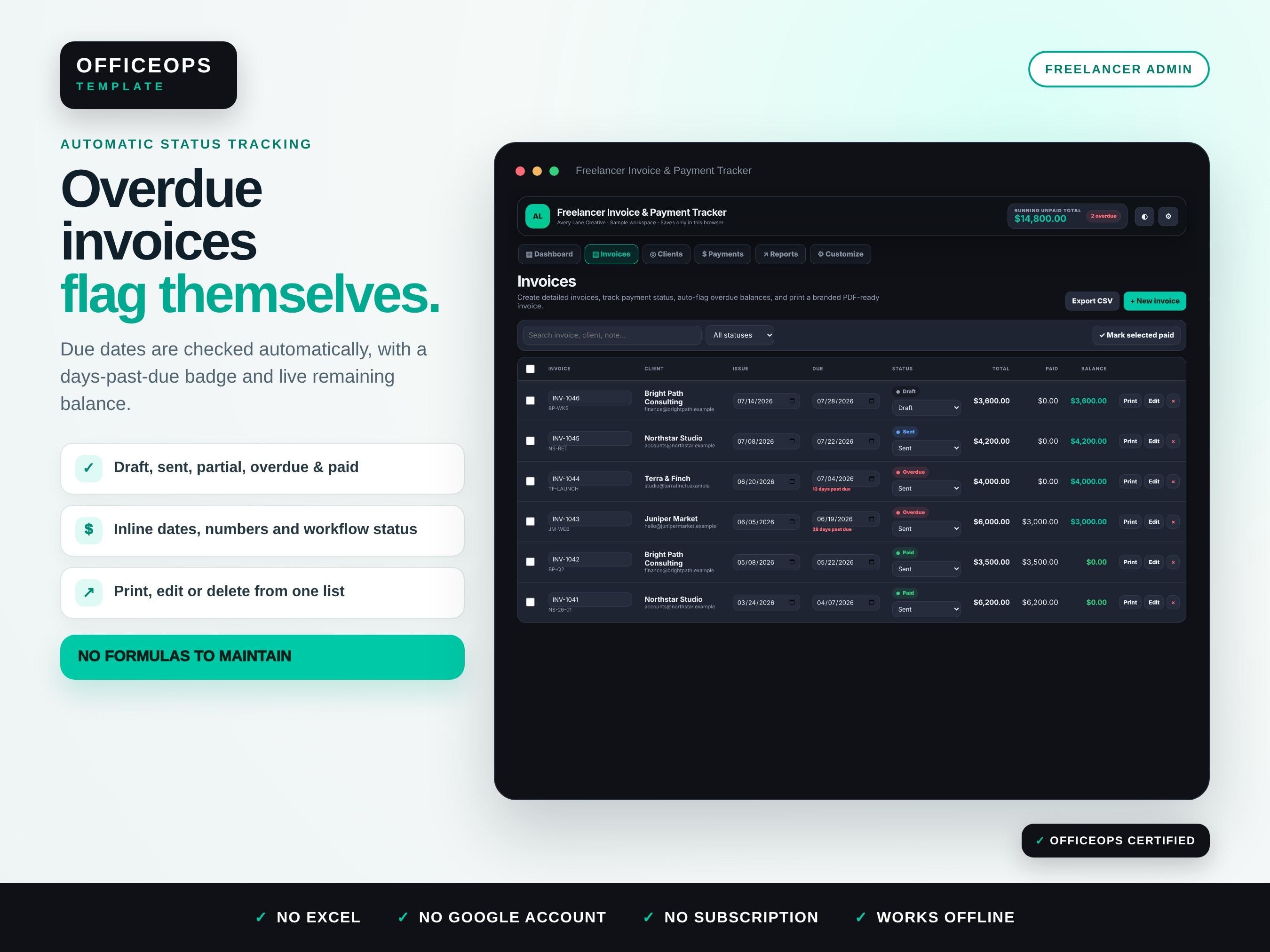
• Automatic invoice status tracking for Draft, Sent, Partial, Overdue, Paid, and Void
• Days-past-due badge that updates automatically from the invoice due date
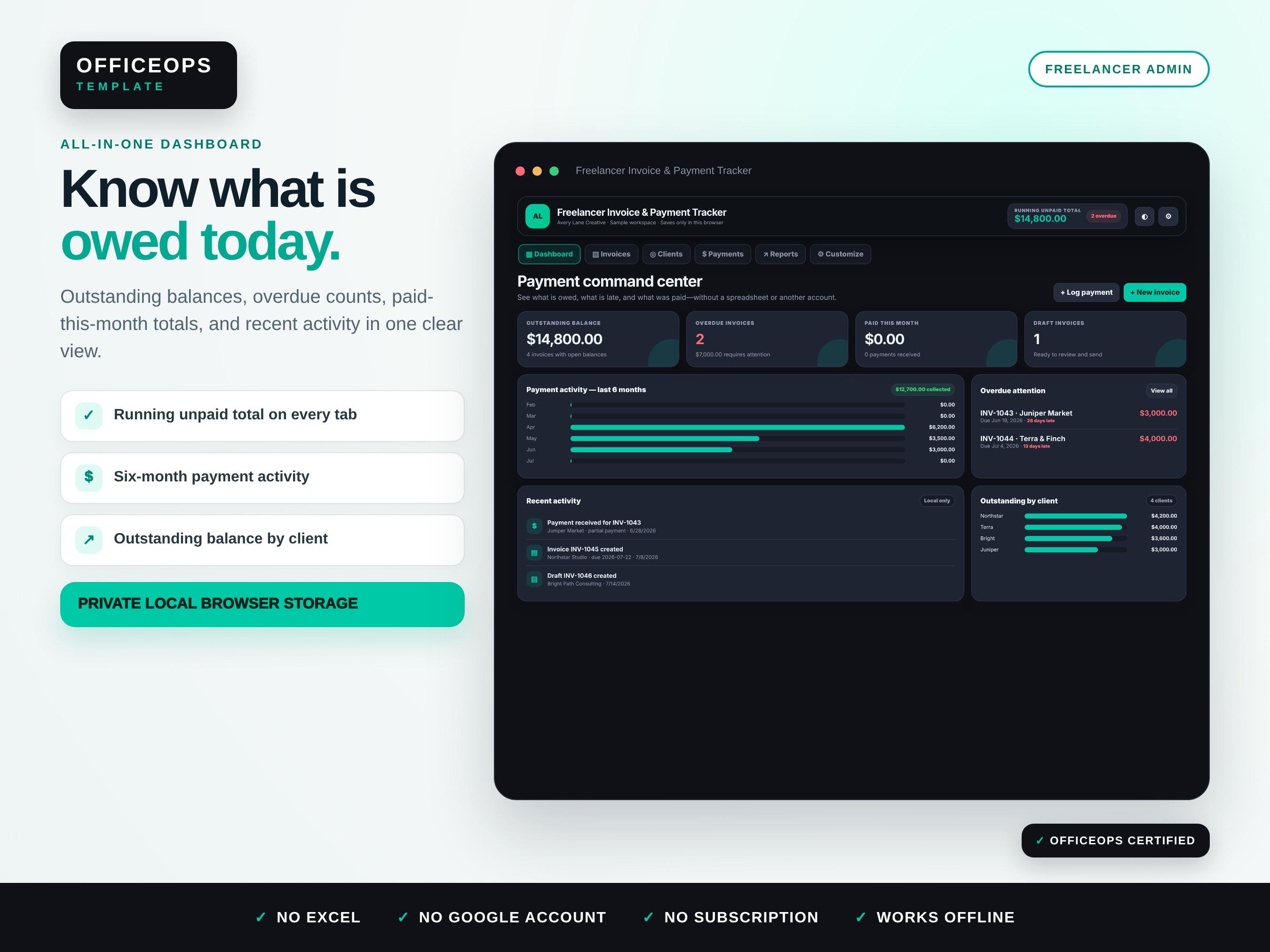
• Running unpaid total visible in the header on every app tab
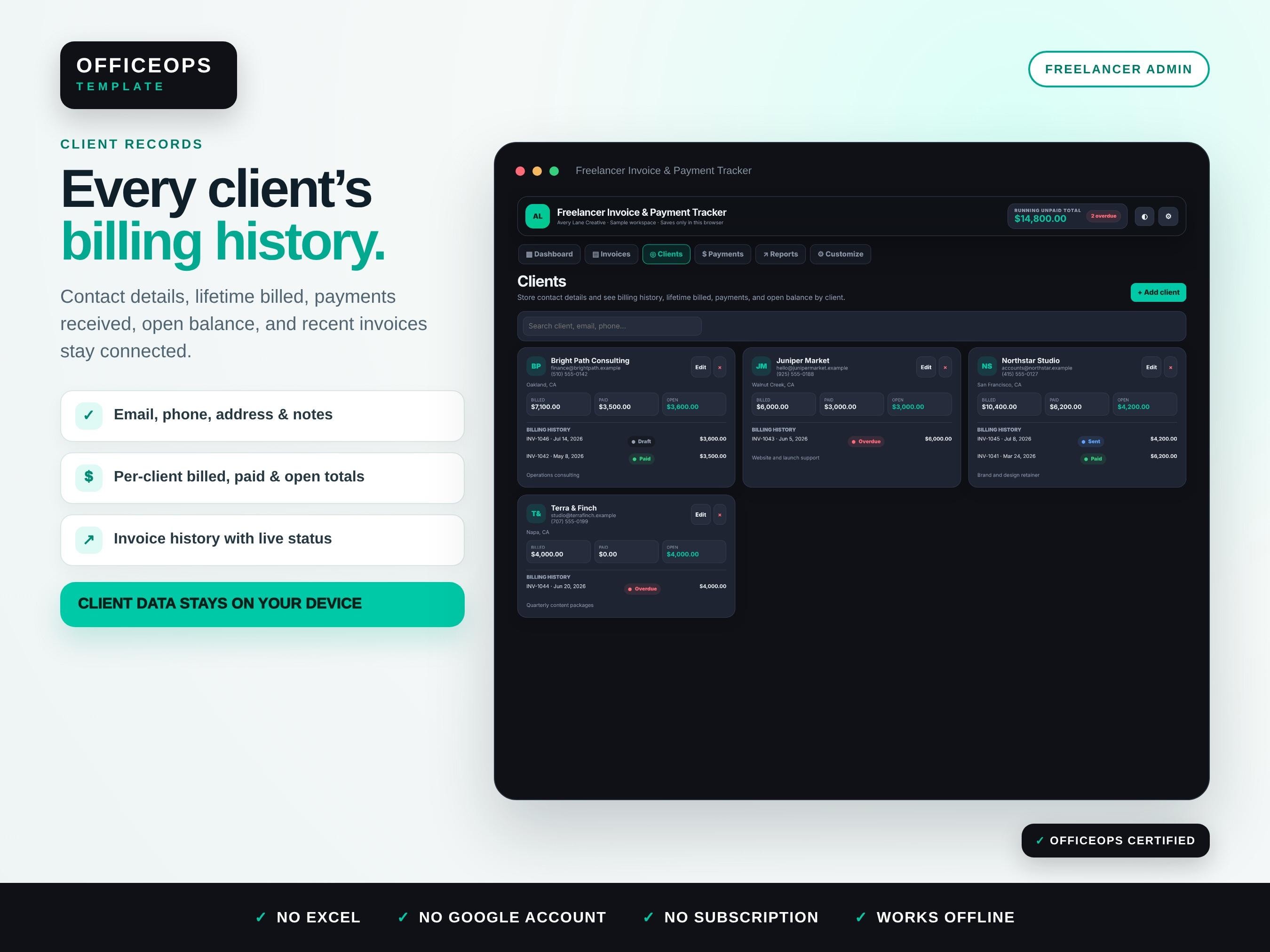
• Client contact records with per-client billing history, lifetime billed, paid, and open totals
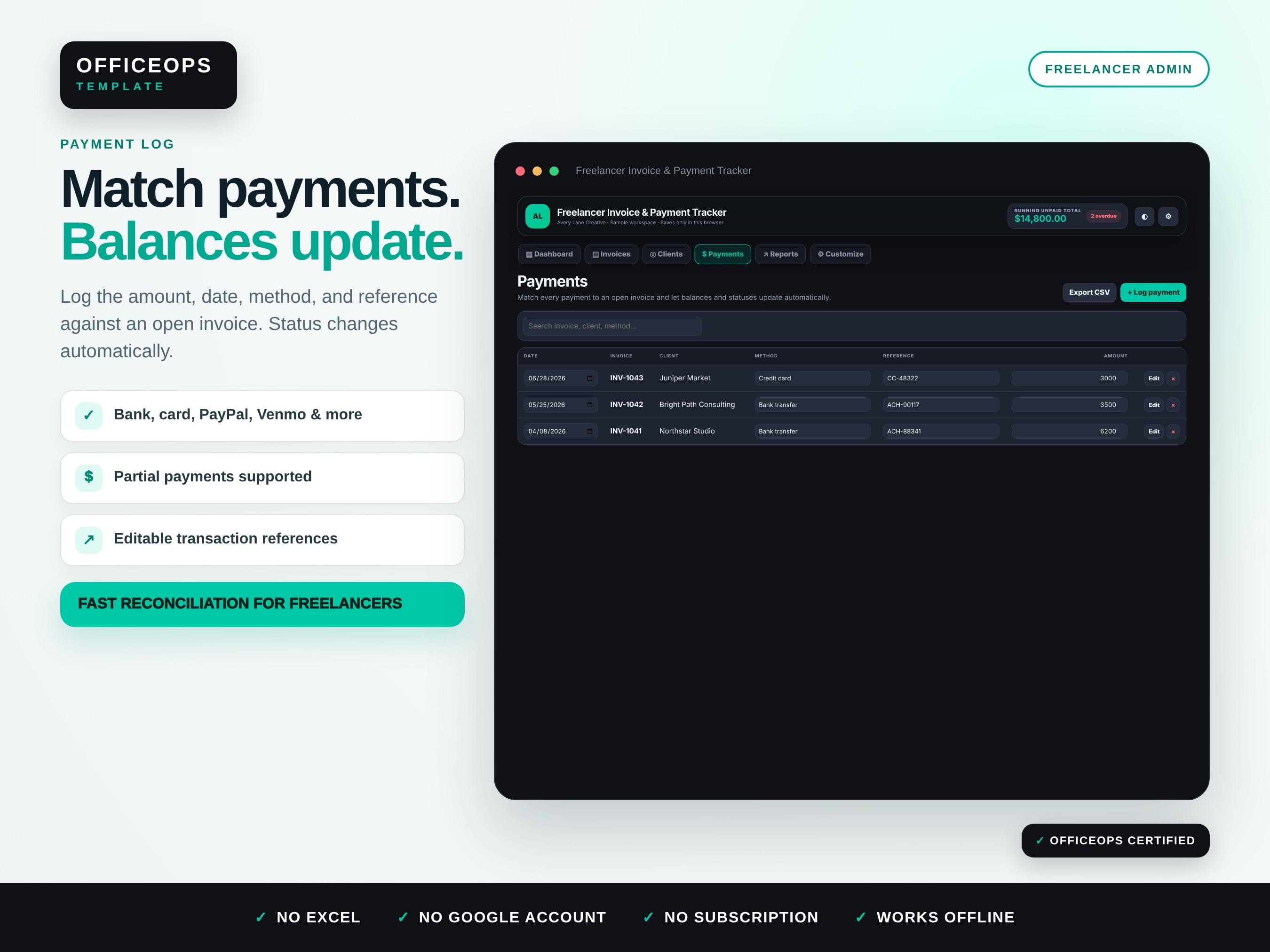
• Payment log matched to open invoices with amount, date, method, reference, and notes
• Partial-payment support with automatic remaining-balance updates
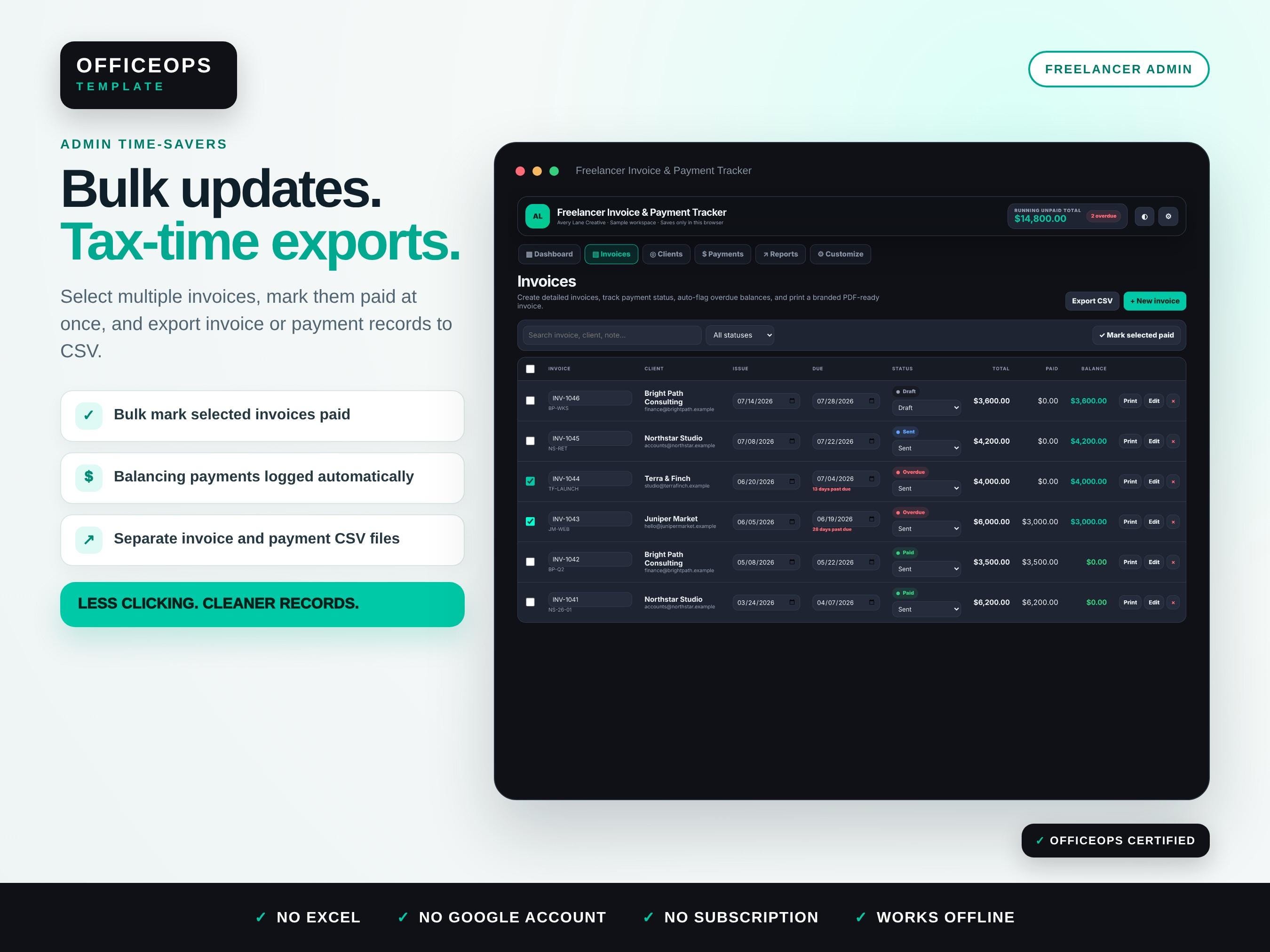
• Bulk status update that marks selected invoices paid and logs matching balancing payments
• Dashboard with outstanding balance, overdue count, paid-this-month total, recent activity, and client balances
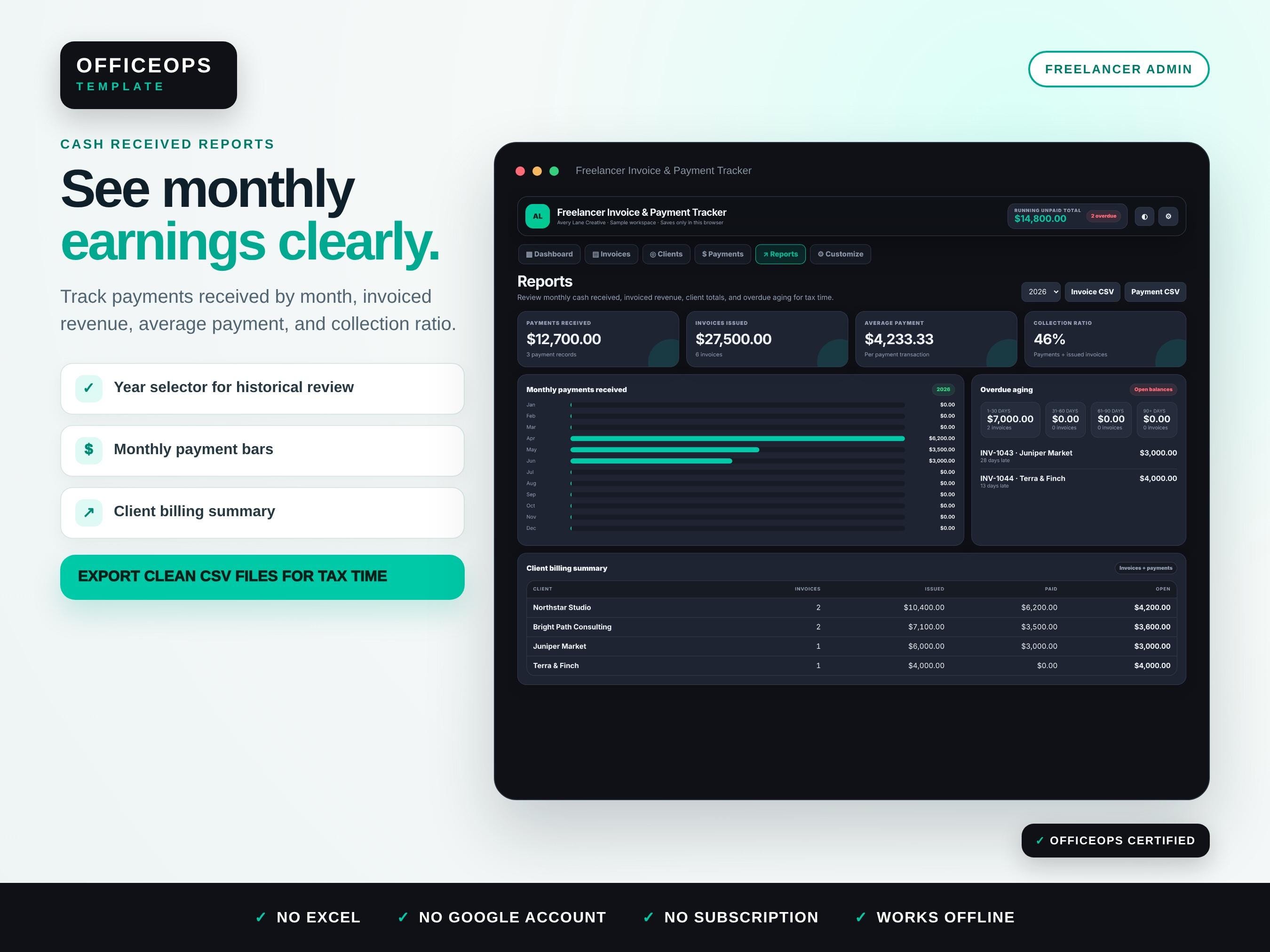
• Reports with monthly payments received, invoiced revenue, collection ratio, client summaries, and overdue aging
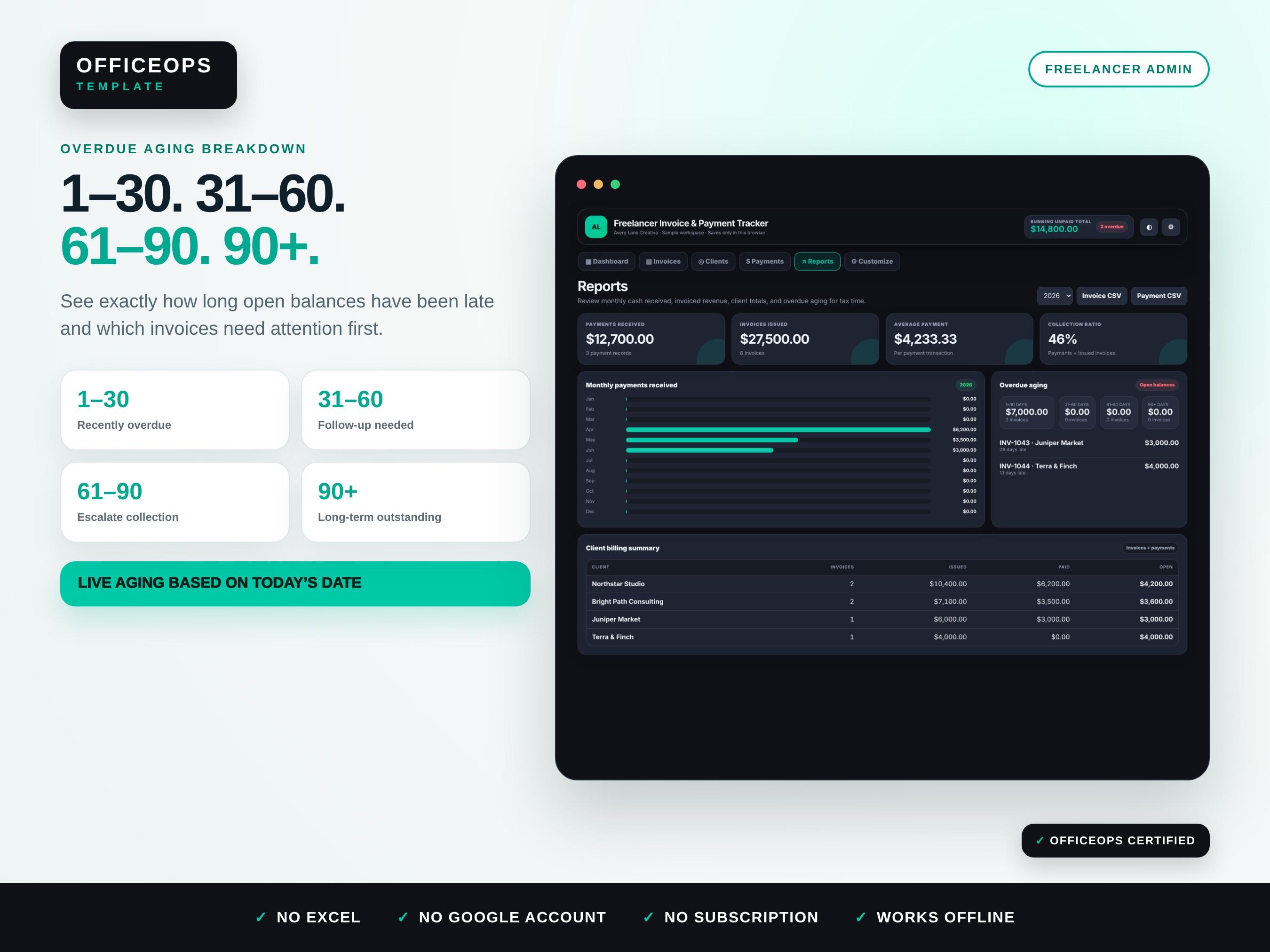
• Overdue aging groups for 1–30, 31–60, 61–90, and 90+ days
• Separate CSV exports for invoice records and payment records
• JSON backup and restore
• Dark and light modes with eight accent colors
• Local browser storage; no backend or cloud database
BEST FOR
• Freelance designers, writers, developers, consultants, virtual assistants, photographers, and creative professionals
• Independent contractors and solo service businesses
• Freelancers searching for an invoice tracker spreadsheet alternative without Excel or Google Sheets
• Service providers who want a simple overdue payment tracker and client billing history
• Small businesses that need private offline invoice records without another subscription
HOW IT WORKS
1. Purchase and download the ZIP file.
2. Unzip the folder on your computer.
3. Open the sample HTML file to explore the included workflow.
4. Open the blank HTML file and enter your business details in Customize.
5. Add a client, then create an invoice with line items and a due date.
6. Use Print / Save PDF to open the browser print dialog and save a branded PDF.
7. Log each payment against the matching invoice.
8. Review overdue balances and monthly reports.
9. Export CSV records or a JSON backup whenever needed.
COMPATIBILITY
• Opens in current versions of Chrome, Edge, Safari, or Firefox
• Works on Windows and Mac; the responsive layout can also open on many tablets and phones
• Desktop or laptop use is recommended for detailed data entry and PDF printing
• No Microsoft Excel, Google Sheets, Notion, extension, account, backend, or subscription required
• Works offline after the files are downloaded
IMPORTANT DATA NOTE
Entries are stored only in local browser storage for the browser, device, file location, and app edition being used. Clearing browser data, using private browsing, renaming or moving files in some browsers, or switching devices can remove or separate saved information. Export a JSON backup regularly.
PLEASE NOTE
• Digital download only; no physical item will be shipped.
• The app prepares invoices for printing or saving as PDF. It does not email invoices, process payments, connect to a bank, or provide cloud synchronization.
• This is an administrative recordkeeping tool, not accounting, tax, legal, or financial advice.
• Browser print controls, local-file behavior, and screen colors may vary by device.
• Digital files cannot be returned after download except where required by applicable law.
Digital downloads
Your files will be available to download once payment is confirmed.